
From Paper Hours to a Verified Digital Flying Record
South African pilots keep SACAA-format paper logbooks. Hours, dual, PIC, night, instructor time and endorsements live in grids that must stay accurate for renewals, interviews and audits. Moving those years into a usable digital record usually meant retyping every line, or living with tools that did not match local columns or foreign authority layouts.
Breakpoint Studio built SmartLogs: a subscription logbook platform that photographs paper pages and endorsement sheets, lets the pilot verify before totals move, then keeps the career record available on web, iPhone and Android — with multi-authority PDFs, currencies, audit checks, offline vault sync and an AI assistant scoped to that pilot’s data only.
- Business analysis and regulatory field mapping
- UX and interface design (web + native)
- Solution architecture
- Full-stack product development
- Native iOS and Android apps
- Automated testing
- Deployment, billing and ongoing support
Capabilities
- Custom Software Development
- Web Application Development
- App Development
- Workflow Automation
- AI Document Capture
- Database Design
- User Experience Design
- Systems Integration
Platform. Public marketing site, account and subscription billing, SACAA-format digital logbook, AI paper and endorsement scanning, multi-authority PDF reports, dashboard and flight footprint, currencies and roster, offline vault with sync, AI logbook assistant, admin console, Capacitor iOS and Android shells
On device
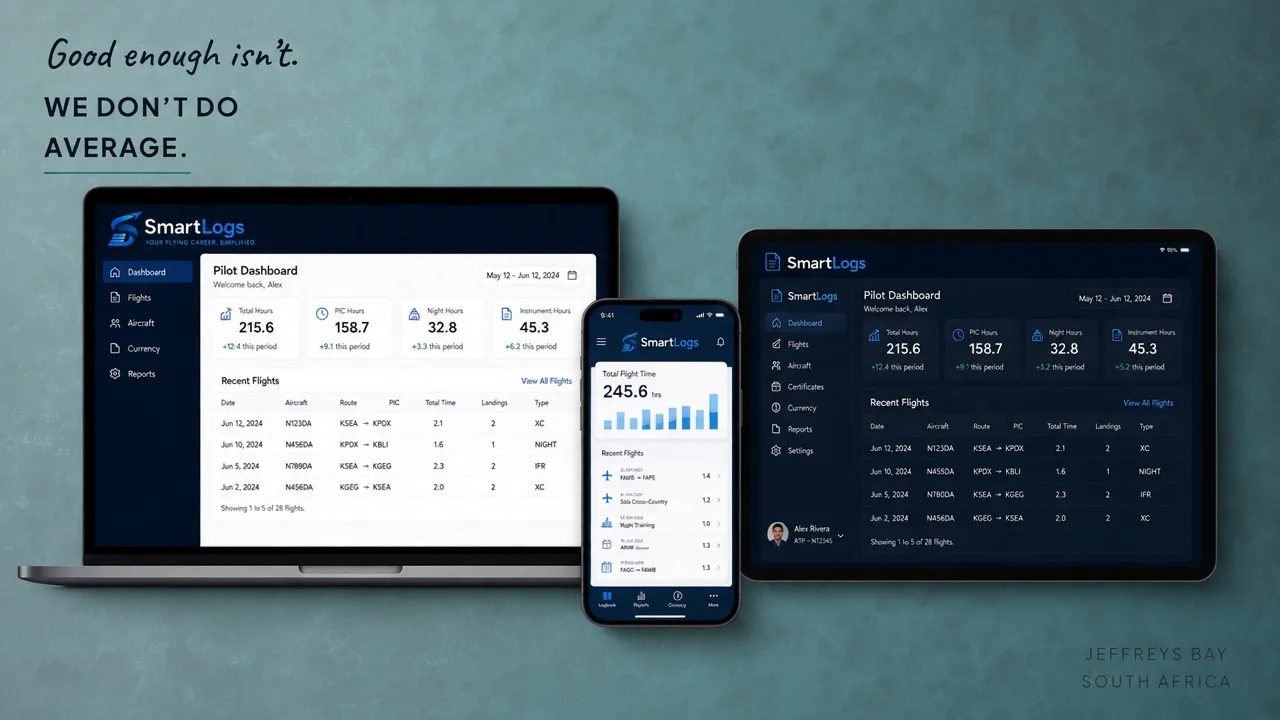
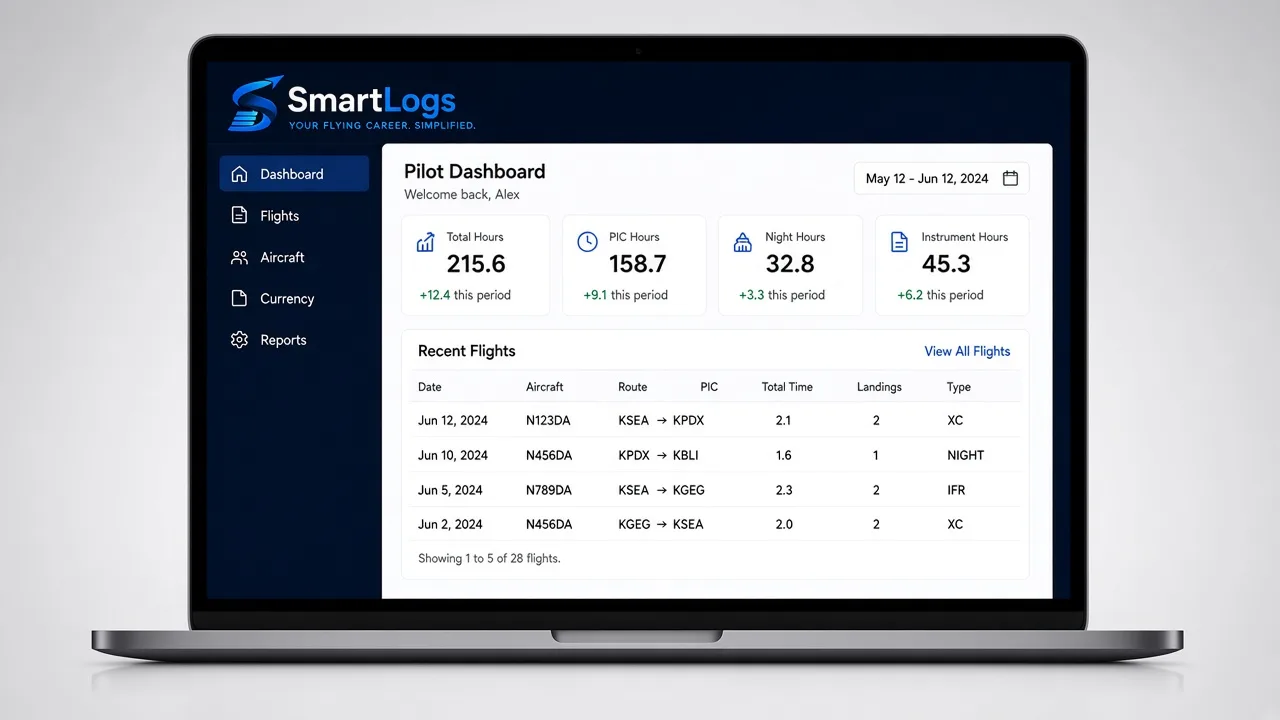
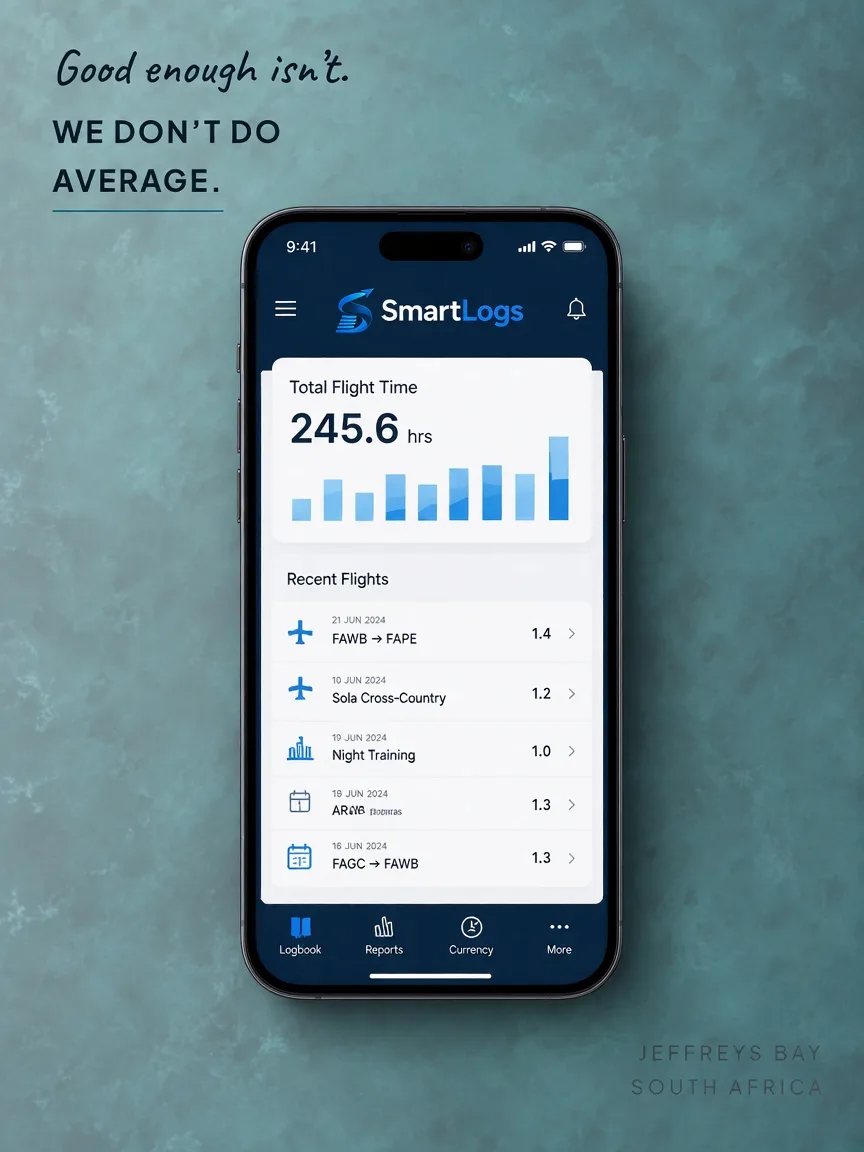
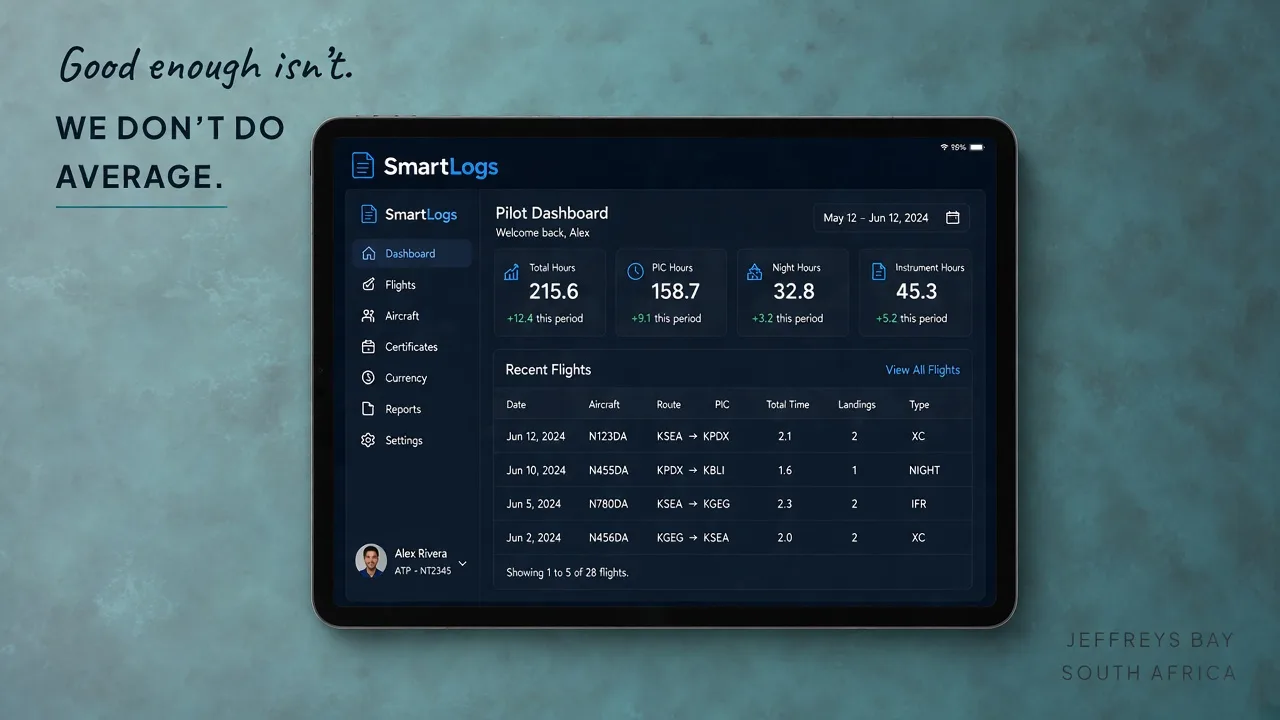
The MacBook shows the SmartLogs web application. The iPhone and iPad show the native iOS shell of the same product.
Where the problem started
Pilots still earn hours on paper. The official SA layout follows SA-CATS 61 Appendix A and CAR 61.01.8: decimal hours, block time, civil-night windows, and the dual / PIC / PICUS / co-pilot matrix across single- and multi-engine day and night. Careers do not stay inside one authority. An airline application may ask for FAA, EASA, UK, DGCA or New Zealand pages from the same flying history.
- Years of flights sitting only in a bound paper logbook
- Digitising meant retyping every line, or photographing pages into a gallery with no structure
- Endorsement signatures lived on separate sheets, easy to misplace relative to the flights they support
- Spreadsheet “totals” for interviews that did not match the paper, and no audit trail
- Separate tools (or none) for currencies, roster, CV and backups
- Signal on the apron is unreliable; a phone browser alone is not enough
- Exporting for another country’s format meant reformatting by hand
- Existing digital logbooks either ignored SA column structure or left paper conversion as the pilot’s problem
The brief
Build a product pilots would trust with career-critical records — not a novelty scanner, and not a generic spreadsheet with aviation labels.
- Self-service signup with a free trial, then monthly or yearly subscription
- Photograph SACAA-style paper pages; AI reads the grid; the pilot reviews and verifies before official totals move
- Scan landscape endorsement sheets, keep signatures with each block, print when an ATO or learner needs them
- Day-to-day flight entry matching SA practice: decimal hours, overnight blocks, civil night, instructor and instrument dimensions
- Print-ready logbook PDFs for SA-CAA / ICAO, FAA, DGCA, UK, New Zealand / ICAO and EASA, plus career summaries
- Audit checks for hour mismatches, missing flight time and instructor windows
- Aircraft, types, crew, airports, currencies, roster, résumé / CV and backups in one account
- Offline local vault after one online sign-in; sync when coverage returns
- Native iPhone and iPad app, and Android, from the same product surface
- Card payments for subscriptions and AI conversion credits (PayFast)
- An AI assistant that answers from that user’s logbook only
- Admin tools for pricing, users, OpenAI settings and support
How it was built
Work moved in phases. Each phase left something a pilot could open, try and sign off before the next layer went in.
- 01
Business analysis
We mapped a career record from first training flight to airline interview: paper pages, endorsements, currencies, exports and what breaks when numbers disagree.
- SA-CATS column groups and decimal-hour rules were written down as product contracts, not as marketing claims
- Paper conversion was treated as a held queue: AI proposes, the pilot verifies, then totals update
- Report layouts for six authorities were treated as first-class outputs, not afterthoughts
- Subscription vs scan credits were separated so day-to-day logging and bulk paper conversion could price independently
- 02
Concept
The account database is the source of truth. Devices keep a protected vault copy. AI never silently rewrites career totals.
- Scanned flights sit held until the pilot accepts them
- Pricing and entitlements are enforced on the server (trial, active subscription, scan credit balance)
- Payment confirmation comes from PayFast server notification, not from the browser returning alone
- Chat and scan tools bind to the session user id only — never a client-supplied user id
- Native shells talk to the live API; the IPA / AAB never ships PHP or server code
- 03
Layout and user experience
Three surfaces were designed: the public marketing site, the signed-in logbook (desktop-wide tables and phone apron entry), and native iOS / Android shells.
- Landing site explains paper → verify → fly on, with trust and pricing in plain language
- Logbook keeps wide SA column grouping on large screens; entry forms stay touch-friendly on phone and tablet
- Paper scan shows detected cells on the photo for correction before accept
- Dashboard metrics, filters, charts and a flight-footprint map summarise the career without leaving the app
- Native work includes keyboard avoidance, session headers for WKWebView cookie limits, and PayFast checkout in Safari rather than an in-app WebView
- 04
Architecture
The product is organised by domain: auth and billing, flights and libraries, paper / endorsement / licence / OFP scanning, reports and audit, sync and vault, chat, notifications, admin.
- MySQL (production) holds per-user stores; PHP API on cPanel hosts the live site
- React front end builds to static assets; Capacitor wraps the same UI for App Store and Play
- OpenAI powers paper/endorsement reads and the logbook assistant, with tools scoped per user
- Sync revision streaming and local vault keep offline edits from fighting the server blindly
- Admin controls pricing, trial length, PayFast, OpenAI keys, menu feature flags and user support
- 05
Development
Shipped in stages on the live product domain: core logbook and libraries, paper conversion and credits, reports and audit, billing, offline sync, native apps, dashboard analytics, then the assistant.
- Flight entry with overnight duration, civil night, cross-country, instrument / instructor / FSTD dimensions
- Aircraft, types, crew, airports (with catalogue search), currencies, endorsements, roster and résumé
- AI paper page conversion with credit packs; yearly plans can grant free paper pages
- Endorsement sheet straighten-and-read; licence document capture; optional OFP scan into entry
- PDF engines for SA-CAA, FAA, EASA, UK, DGCA and NZ layouts, plus career hour PDFs
- CSV / LogTen-style import and export with column mapping
- PayFast for subscriptions and scan-credit carts (USD catalog priced, ZAR settlement where required)
- Push notifications, admin console, privacy and profile-deletion flows for store compliance
- Top-bar AI assistant for how-to and personal hour / aircraft / career questions
- 06
Testing
A large automated Node test suite covers time arithmetic, paper layout, multi-authority PDFs, billing and scan packs, roster, endorsements, sync, dashboard metrics/charts/layout, airports/crew search and related domains — run as part of the product’s quality loop before release.
- Decimal overnight and civil-night edge cases
- PDF geometry and report file naming
- PayFast signature and entitlement behaviour
- Scan credit accounting and held-flight verification path
- Native bundle policy checks so server PHP never lands in the iOS IPA
- 07
Implementation
Live site at smartlogs.co.za (and the Breakpoint deploy path for the app assets), with FTP deploy of built front-end assets while leaving live config.php, PHP ini and data/ alone.
- Subscription and credit checkout tested end to end with PayFast
- iOS (za.co.smartlogs) and Android builds from the same Capacitor shell
- Support email and in-product account flows for trial, cancel, export and deletion requests
The platform in use
For pilots
Open an account in the browser, start the trial, and either log new flights or photograph existing paper pages. Verified flights feed totals, currencies, reports and the dashboard. The same account opens on phone or tablet in the field; the vault keeps working when signal drops.
- Review AI cell reads on the photo before anything becomes official
- Keep endorsements with signatures attached; print SACAA-style pages when needed
- Export authority-specific PDFs or CSV / LogTen-style backups
- Ask the assistant things like hours in the last 10 days or times on a registration — answers stay inside that account
- Buy AI conversion credit packs when digitising a thick paper book
For the SmartLogs / Breakpoint team
Admin sees subscribers, pricing, trial settings, PayFast and OpenAI configuration, menu feature flags and support actions. Scan economics and subscription plans are versioned in settings rather than hard-coded in the marketing page alone.
- Comp or suspend accounts when support requires it
- Tune monthly / yearly ZAR pricing and USD scan packs
- Gate AI features behind an active subscription
- Ship web and native from one codebase with a documented iOS bundle policy
What changed in the workflow
These are changes in how the work moves. Measured subscriber or conversion figures are not published here.
Before
- Career history only in a bound paper book
- Digitising meant retyping every flight
- Endorsements separate from the flights they support
- Interview totals rebuilt in spreadsheets
- One-country layout, or manual reformat for each authority
- No structured audit of hour logic
- Logging stops when the signal drops
- No single place for aircraft, crew, currencies and CV
After
- Photograph the page; verify; then totals move
- Held queue keeps official numbers clean until accept
- Endorsements scanned and stored with signatures
- Authority PDFs and career summaries from the same data
- Audit flags mismatches before an interview
- Offline vault + sync across devices
- Libraries, roster, currencies and résumé in one account
- AI assistant answers from that pilot’s record only
- Trial → PayFast subscription; credits for bulk paper conversion
Technology
Chosen for this operation, from the requirements of that business.
Application
PHP API, MySQL, session auth, cPanel hosting
Interface
React 19, TypeScript, Vite
Native
Capacitor 8 (iOS + Android), push notifications, keyboard / status bar plugins
Documents
pdf-lib; custom PDF layouts per authority
AI
OpenAI for paper / endorsement reads and the user-scoped chat assistant
Payments
PayFast (subscriptions and scan-credit checkout)
Quality
Broad automated Node test suite; iOS bundle verification; staged live deploy
Paper conversion now happens with verification before totals move, the same career record drives six authority layouts, and the logbook stays usable on the apron when coverage disappears. SmartLogs is live at smartlogs.co.za.